وبلاگ – نکات SMM و رشد در تلگرام

News, guides and tips for growing on social media.

Is Telegram Safe? Privacy, Encryption & Security Tips for 2026

Is Telegram Safe? Privacy, Encryption & Security Tips for 2026

Telegram is used by hundreds of millions of people, from friends chatting to large businesses and creators. It's generally safe, but how safe depends on which features you use and which settings you turn on. Here's what you need to know.

Short answer

Telegram is safe for everyday use when you enable Two-Step Verification, tighten privacy settings and watch out for scams. For the most private conversations, use Secret Chats, which are end-to-end encrypted.

How Telegram Encryption Works

Cloud chats (default)Secret chats
EncryptionEncrypted between your device and Telegram's serversEnd-to-end encrypted
Sync across devicesYesNo, only on the device where it was started
Self-destruct timerOptionalOptional
Best forEveryday chats, groups, channelsSensitive one-on-one conversations

Groups and channels use cloud encryption, which is what makes syncing and large communities possible.
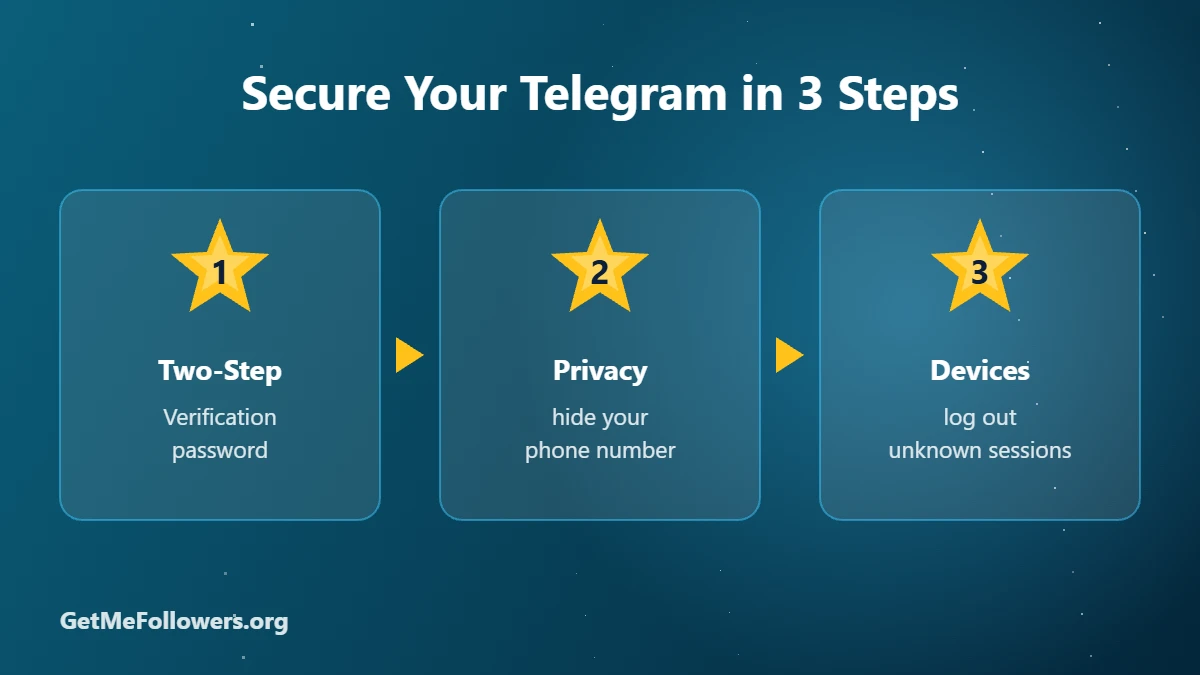
Secure Your Telegram in 3 Steps

The Real Risks on Telegram

  • Phishing: fake 'Telegram support' messages asking for your login code.
  • Fake giveaways and 'Star doubling': nobody can multiply your Stars or crypto.
  • Impersonation: scammers copying a channel's name and photo.
  • Investment and job scams that move you into private chats.
Rule of thumb: Telegram never asks for your login code in a chat. Anyone who does is a scammer.

Settings That Make Telegram Safer

  1. Two-Step Verification: Settings → Privacy and Security → Two-Step Verification. Adds a password on top of SMS codes.
  2. Hide your phone number: set Phone Number to Nobody or My Contacts.
  3. Control who can add you to groups to cut down on spam.
  4. Check active sessions in Settings → Devices and end any you don't recognize.
  5. Set a passcode to lock the app on your phone.

Is It Safe to Buy Services on Telegram?

Only deal with sellers who need a public link or @username, never your login. Our guide on whether it's safe to buy Telegram members covers the details.

Frequently Asked Questions

Is Telegram end-to-end encrypted?

Secret Chats are end-to-end encrypted. Regular cloud chats, groups and channels are encrypted between your device and Telegram's servers.

Can someone hack my Telegram?

Most account takeovers happen when people share login codes. Turn on Two-Step Verification and never share codes.

Can strangers see my phone number?

Only if your privacy settings allow it. Set Phone Number visibility to Nobody or My Contacts.

Is Telegram safer than WhatsApp?

They take different approaches. WhatsApp encrypts all chats end-to-end by default, while Telegram does so only in Secret Chats but offers more privacy controls for your phone number and profile.

How do I report a scam on Telegram?

Open the chat or profile, tap the menu and choose Report. You can also block the user.
بیشتر بخوانید: Is Telegram Safe? Privacy, Encryption & Security Tips for 2026
How to Delete a Telegram Account (Permanently or Automatically)

How to Delete a Telegram Account (Permanently or Automatically)

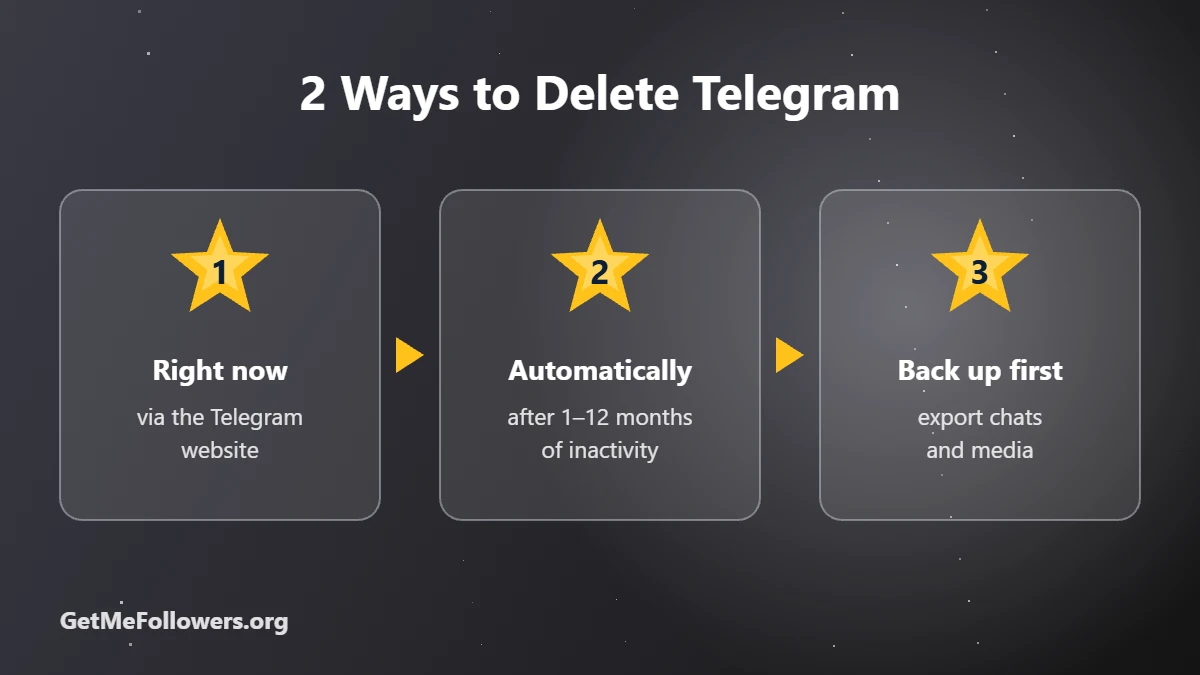
Whether you're switching apps, cleaning up an old number or just taking a break, Telegram lets you delete your account in two ways: immediately through its website, or automatically after a period of inactivity. Here's how both work and what you should save first.

Before you delete

Deletion is permanent. Your messages, groups you own and contacts can't be restored. Export anything you want to keep first, and make sure another admin can manage your channels and groups.

Method 1: Delete Your Account Right Away

  1. Open my.telegram.org in a browser.
  2. Enter your phone number in international format.
  3. Telegram sends a confirmation code to your Telegram app. Enter it on the website.
  4. Choose Delete account, optionally give a reason, and confirm.

Your account and its data are removed. You can sign up again with the same number later, but it will be a fresh, empty account.

2 Ways to Delete Telegram

Method 2: Let It Self-Destruct Automatically

  1. Open Settings → Privacy and Security.
  2. Find the section about deleting your account if you're away.
  3. Choose a period such as 1, 3, 6 or 12 months.

If you don't open Telegram for that long, the account is deleted automatically.

What to Do Before Deleting

  • Export your data: Telegram Desktop has an Export Telegram data option for chats, photos and files.
  • Hand over your channels and groups: transfer ownership or add another admin, or they may be left without an owner.
  • Cancel subscriptions such as Telegram Premium in your app store.
  • Use any Stars balance first, since it can't be recovered.

Deleting vs Logging Out

If you only want a break, simply log out of all devices in Settings → Devices. Your account stays intact and you can log back in anytime.

Frequently Asked Questions

Can I recover a deleted Telegram account?

No. Once deleted, messages, contacts and groups you own can't be restored.

Can I use the same phone number again?

Yes. You can register a new Telegram account with the same number, but it starts empty.

What happens to my channels when I delete my account?

Channels and groups you own may be left without an owner. Transfer ownership to someone else before deleting.

Do my messages disappear for others?

Messages in private chats are removed with your account. Messages you posted in groups may remain, shown as from a deleted account.

How do I delete Telegram without the app?

You need access to the app to receive the confirmation code. If you've lost access, the inactivity timer will eventually delete the account.

بیشتر بخوانید: How to Delete a Telegram Account (Permanently or Automatically)
Is It Safe to Buy Telegram Members? An Honest Guide

Is It Safe to Buy Telegram Members? An Honest Guide

If you're thinking about buying Telegram members, the main question is usually whether it will get your channel in trouble. The honest answer: buying members is low risk when you do it the right way, and it has real limits you should understand before spending money.

Short answer

It's generally safe for your account when the seller only needs your public link and never your login. The real trade-offs are that purchased members don't engage like real fans, and some will drop over time.

What's Actually Risky

  • Sharing your login: any seller that asks for your login code, password or session file can take over your account. This is the biggest real risk.
  • Paying unknown sellers in chats with no balance system, support or refund policy.
  • Huge overnight jumps on a tiny channel, which look unnatural to readers and advertisers.
  • Expecting sales from numbers alone. Members raise credibility; content and offers drive results.

What Isn't Risky

  • Giving a public channel or group link. Anyone on Telegram can already see it.
  • Using an invite link for private channels, which you can revoke afterwards.
  • Ordering in steps while you keep posting.

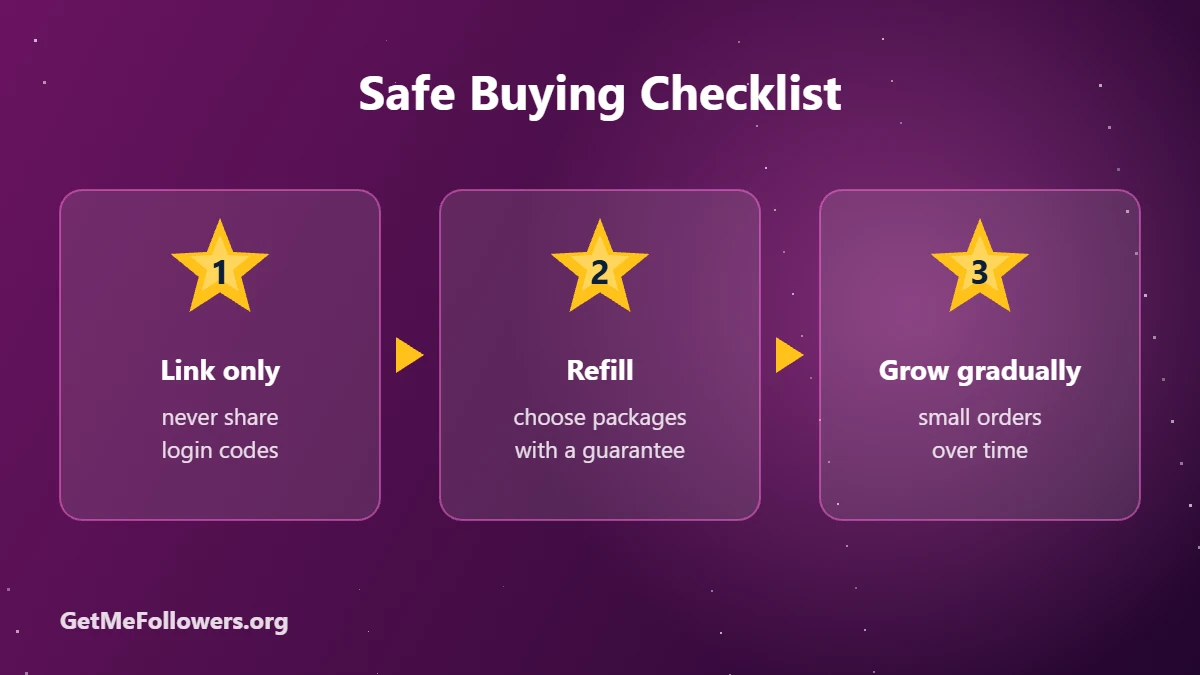
Safe Buying Checklist

Drop and Refill, Explained

Some purchased accounts leave over time; that's drop. A refill guarantee replaces them during the stated period. Packages with longer refill cost more, but they protect your count. Our lifetime-refill members are an example.

How to Spot a Bad Seller

  • Asks for your phone number, login code or password.
  • No clear refill or refund terms.
  • No order tracking or support tickets.
  • Prices that are far below the market with big promises like 'real active fans'.

How to Buy Telegram Members Safely

  1. Use a panel with an account balance, order history and support.
  2. Share only your public link or a revocable invite link.
  3. Choose a package with refill.
  4. Start small, then scale.
  5. Keep posting and add views so engagement matches your size.

Ready to start? See our guides on channel subscribers, premium members and group members.

Buy Members Safely

Link only · refill included · support tickets

Frequently Asked Questions

Can Telegram ban my channel for buying members?

Channels aren't typically removed just for member count changes. Problems usually come from spam, scams or reported content. Keep your content clean and grow gradually.

Are bought members real people?

They're real Telegram accounts, but they joined because of an order, not because of your content. Don't expect them to buy or comment.

Will members drop?

Some drop is normal with any provider. Choose a package with refill so drops are replaced.

Do I need to give my password?

Never. A legitimate service only needs your public link or an invite link.

What's the safest way to start?

Place a small order with refill, check the result, then scale up while you keep posting.

Grow the safe way

Members with refill, ordered with just your link.

Start a Small Order
بیشتر بخوانید: Is It Safe to Buy Telegram Members? An Honest Guide
Telegram Stars vs Telegram Premium: Which One Do You Need?

Telegram Stars vs Telegram Premium: Which One Do You Need?

Telegram Stars and Telegram Premium both cost money and both have a ⭐ in their branding, so it's easy to mix them up. They solve different problems. Stars are a currency you spend. Premium is a subscription that upgrades your app.

Short version

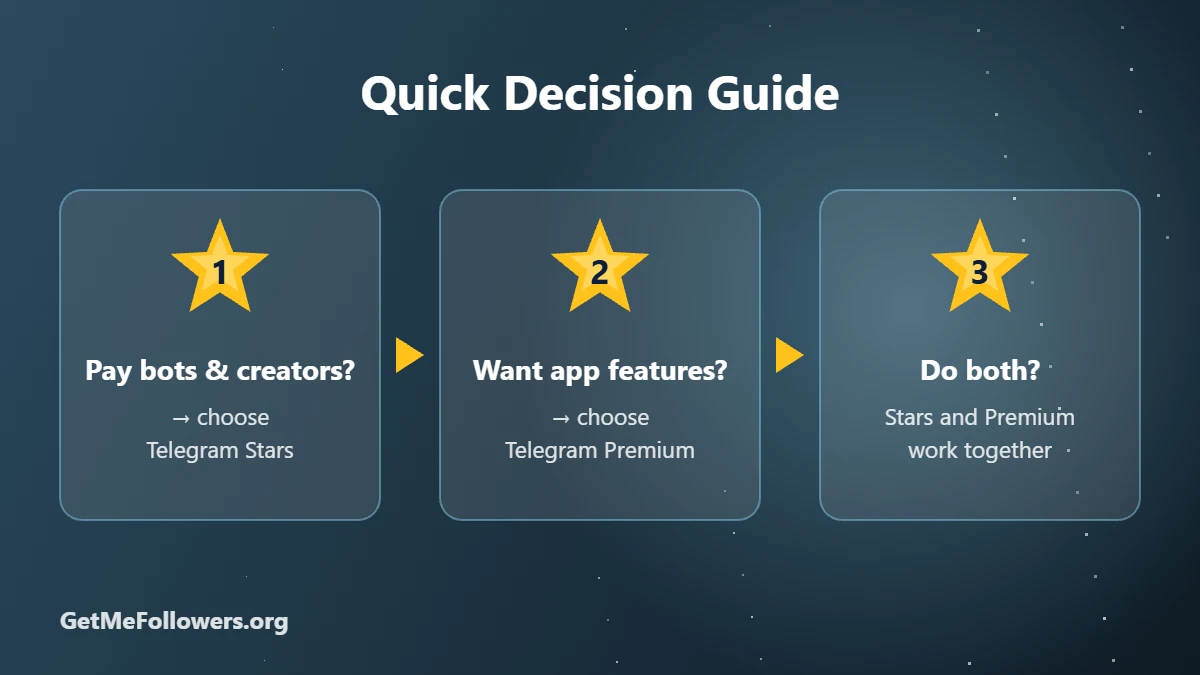
Buy Stars if you want to pay bots, unlock paid posts, send reactions or gifts. Buy Premium if you want bigger uploads, faster downloads, no ads and extra features.

Side-by-Side Comparison

Telegram StarsTelegram Premium
What it isIn-app currencyMonthly or yearly subscription
Used forBots, mini apps, paid posts, reactions, gifts, subscriptions4 GB uploads, faster downloads, no ads, voice-to-text, badge
How you payBuy a balance once, spend over timeRecurring plan or fixed-term package
Typical price~$0.02 per Star in the app~$4.99 per month in the app
Can you gift it?YesYes
GetMeFollowers$16.15 per 1,000 Stars3, 6 or 12 months from $11.97

Prices as of October 2026 and may change. See the current rate on the services page.

Quick Decision Guide

When Telegram Stars Make Sense

  • You use AI bots or games that charge in Stars.
  • You want to unlock paid photos and videos in channels.
  • You like supporting creators with ⭐ reactions.
  • You want to send a digital gift.

Read What Are Telegram Stars or jump to buy Telegram Stars.

When Telegram Premium Makes Sense

  • You send large files or download a lot of media.
  • You're in many channels and want more folders and pinned chats.
  • You'd like voice-to-text and no sponsored messages.
  • You want the Premium badge and emoji status.

See how to buy Telegram Premium or order Telegram Premium.

Can You Have Both?

Yes. They're independent. Premium users still buy Stars to pay bots and creators, and Stars work fine without Premium.

⭐ Get Telegram Stars

Or choose Telegram Premium on the services page

Frequently Asked Questions

Do I need Premium to use Stars?

No. Any Telegram user can buy and spend Stars.

Does Premium give me free Stars?

No. Premium and Stars are separate purchases.

Which is cheaper?

It depends on use. A few dollars of Stars covers occasional bot use, while Premium is a fixed monthly cost for features.

Can I gift both?

Yes. You can gift Stars and Premium in the app, or order either on GetMeFollowers using the recipient's @username.

Which one helps my channel?

Neither grows a channel directly. Channel owners earn Stars from paid posts and reactions, while growth comes from content and promotion.

Know what you need?

Get Stars or Premium, paid with crypto.

Buy Telegram Stars
بیشتر بخوانید: Telegram Stars vs Telegram Premium: Which One Do You Need?
How to Buy Telegram Premium in 2026: Price, Features & 3 Ways to Get It

How to Buy Telegram Premium in 2026: Price, Features & 3 Ways to Get It

Telegram Premium is Telegram's optional subscription. The app stays free, but Premium unlocks bigger limits, faster downloads and extras like voice-to-text and a profile badge. Here's what you get, what it costs and the easiest ways to buy it.

Quick answer

In Telegram, open Settings → Telegram Premium and subscribe through your app store. To pay with crypto or buy for someone else, order Telegram Premium 3 months, 6 months or 12 months on GetMeFollowers with the @username.

What Telegram Premium Includes

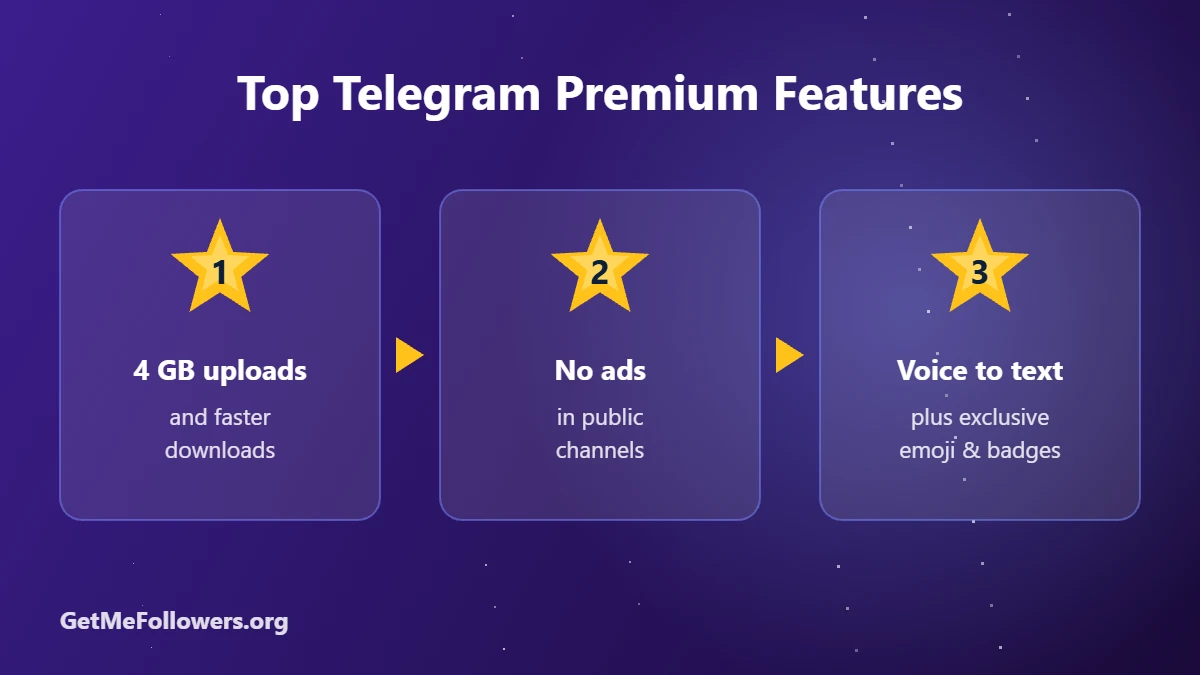
  • Bigger uploads: send files up to 4 GB instead of 2 GB.
  • Faster downloads with no speed limit.
  • Voice-to-text for voice and video messages.
  • No sponsored messages in public channels.
  • Doubled limits: more channels, folders, pinned chats and saved GIFs.
  • Extras: Premium badge, emoji status, animated profile pictures and exclusive stickers and reactions.

Top Telegram Premium Features

How Much Does Telegram Premium Cost?

In the app, Premium costs about $4.99 per month in many countries, with a discount for yearly plans. Prices vary by country and app store.

PlanGetMeFollowers pricePay with
3 months$11.97Crypto
6 months$15.96Crypto
12 months$28.93Crypto

Prices as of October 2026 and may change. See the current rate on the services page.

3 Ways to Buy Telegram Premium

1. In the Telegram app

  1. Open Settings and tap Telegram Premium.
  2. Choose monthly or yearly.
  3. Pay through the App Store or Google Play.

2. Through @PremiumBot

Telegram's official bot sells Premium too, which helps on desktop. Only use the verified bot with the blue checkmark.

3. On GetMeFollowers (pay with crypto)

  1. Open the plan you want: 3 months, 6 months or 12 months.
  2. Enter the Telegram @username that should get Premium. It can be yours or a friend's.
  3. Pay with crypto. Premium is activated on that account, usually within a couple of hours.
👑 Buy Telegram Premium

3, 6 or 12 months · no login needed · pay with crypto

Premium or Stars?

Premium is a subscription for features. Stars are a balance you spend on bots, paid posts and gifts. They do different jobs; see Telegram Stars vs Telegram Premium for a full comparison, or how to buy Telegram Stars.

Stay safe

  • We only ever need a public link or @username. Never share your Telegram login code or password with anyone.
  • For private channels and groups, use an invite link that you can revoke later.
  • Start with a small order to test before scaling up.

Frequently Asked Questions

How much is Telegram Premium per month?

About $4.99 per month in many countries when bought in the app. Yearly plans and longer packages work out cheaper per month.

Can I buy Telegram Premium for someone else?

Yes. You can gift it in the app, or order on GetMeFollowers with the other person's @username.

Do I need to share my login to get Premium?

No. Only your public @username is needed. Never share your login code or password.

What happens when Premium expires?

Your account returns to the free plan. Your chats and files stay, but Premium-only features stop working.

Is Telegram Premium worth it?

If you send large files, use many channels and folders or want voice-to-text, it's good value. For casual use, the free version covers most needs.

Unlock Telegram Premium

Pay with crypto, for yourself or as a gift.

Buy Premium
بیشتر بخوانید: How to Buy Telegram Premium in 2026: Price, Features & 3 Ways to Get It
How to Buy Telegram Bot Starts (Bot Users) in 2026

How to Buy Telegram Bot Starts (Bot Users) in 2026

Every Telegram bot shows how many monthly users it has, and people use that number to decide whether a bot is trustworthy. A brand-new bot with a handful of users is hard to promote. Bot starts are accounts that open your bot and press Start, which raises its user count and makes it look established.

Quick answer

Order Telegram Bot Start – Mixed from 10 starts and paste your bot link (https://t.me/yourbot). For higher-quality accounts, choose Premium targeted bot starts.

Why Bot Starts Matter

  • Monthly users are public: anyone can see them on your bot's profile.
  • Trust: people are more willing to try a bot that others already use.
  • Search: user activity is part of how bots surface in Telegram search. See how to rank your bot in Telegram global search.

Mixed vs Premium Bot Starts

TypeAccountsStarting price
MixedStandard accounts from mixed countries~$0.09 / 1,000
TargetedAccounts from a chosen country~$0.13 / 1,000
PremiumAccounts with Telegram Premium~$1.73 / 1,000

Prices as of October 2026 and may change. See the current rate on the services page.

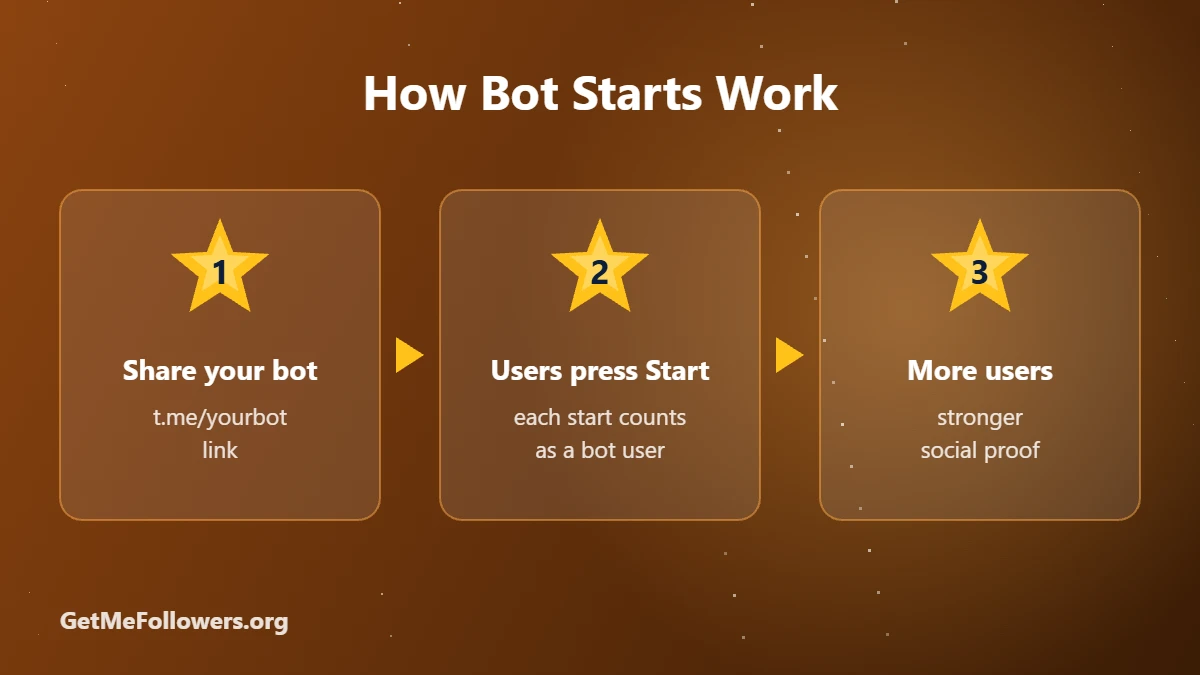
How Bot Starts Work

How to Buy Telegram Bot Starts

  1. Copy your bot link, for example https://t.me/yourbot. Referral links with a start parameter also work for many services.
  2. Open mixed bot starts or premium bot starts.
  3. Paste the link, enter the amount and place the order.
  4. Pay with crypto. Starts begin arriving shortly after.
🤖 Buy Bot Starts

From 10 starts · mixed or premium · pay with crypto

Before You Order

  • Make sure the bot is online and responds to /start.
  • If your bot requires a captcha or channel join first, some starts may not complete. Check the service description.
  • Growing a mini app? Pair bot starts with a channel and grow it with subscribers.

Stay safe

  • We only ever need a public link or @username. Never share your Telegram login code or password with anyone.
  • For private channels and groups, use an invite link that you can revoke later.
  • Start with a small order to test before scaling up.

Frequently Asked Questions

What is a Telegram bot start?

It's when an account opens your bot and presses Start. Each start counts as a user of your bot.

Will bot starts use my bot's features?

Starts open the bot. They aren't meant to complete purchases or long conversations inside it.

Can I use a referral link?

Many bot start services accept links with a start parameter, such as a referral link. Check the service description first.

Do bot starts help with Telegram search?

User activity is one of the signals for bots, but it works best together with a good name, description and real usage.

What's the minimum order?

Some bot start packages start at 10 starts, others at 50 or more.

Give your bot a head start

Mixed and premium bot starts from 10.

Buy Bot Starts
بیشتر بخوانید: How to Buy Telegram Bot Starts (Bot Users) in 2026
How to Buy Telegram Reactions for Your Posts

How to Buy Telegram Reactions for Your Posts

Reactions are the quickest signal that people actually care about a post. A post with thousands of views and no reactions looks strange. A row of 👍 🔥 ❤️ under it tells new readers the content is worth their time. Here's how to add Telegram reactions and which kind to choose.

Quick answer

Copy your post link and order Mixed positive reactions + free views from 10 reactions. For premium accounts use Premium reactions, and for paid ⭐ reactions use Telegram Stars for posts.

Types of Telegram Reactions

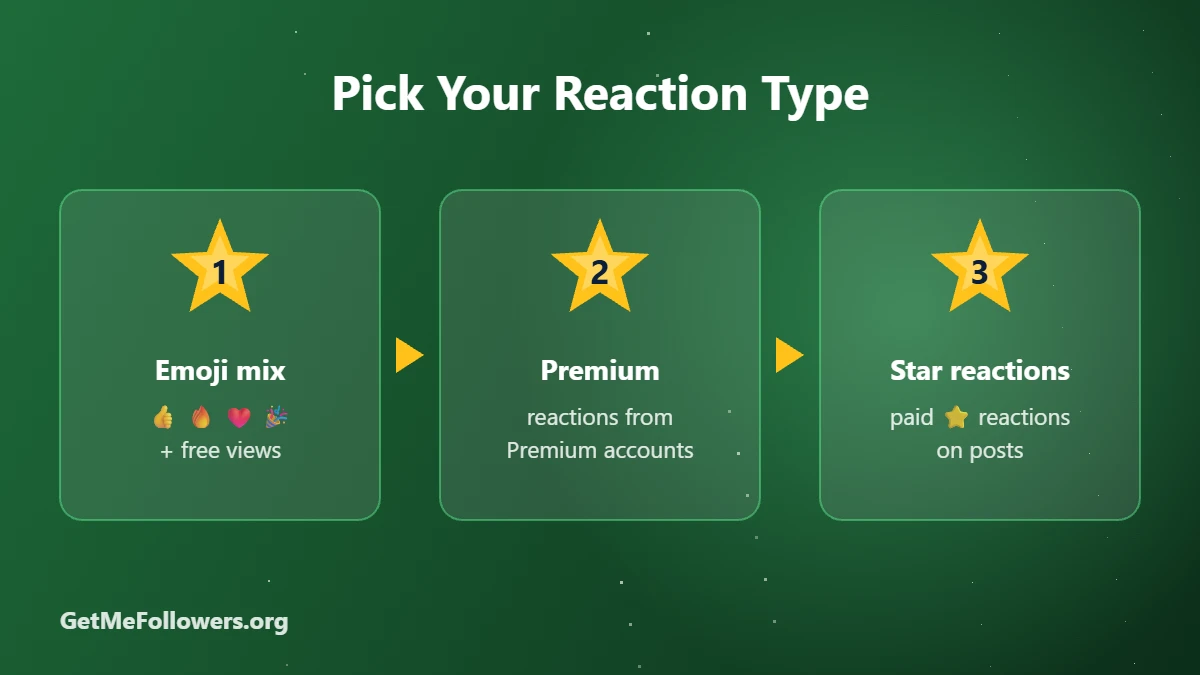
TypeWhat you getStarting price
Positive mix👍🤩🎉🔥❤️🥰👏 and more, plus free views~$0.0095 / 1,000
Single emojiOne chosen emoji, such as 👍 or ❤️, plus free views~$0.0095 / 1,000
Future postsReactions added automatically to new posts~$0.048 / 1,000
Premium reactionsReactions from Telegram Premium accounts~$0.28 / 1,000
Star reactionsPaid ⭐ reactions (the owner receives the Stars)~$18 / 1,000 Stars

Prices as of October 2026 and may change. See the current rate on the services page.

Pick Your Reaction Type

How to Buy Telegram Reactions

  1. Make sure reactions are enabled: Channel settings → Reactions, and allow the emojis you plan to order.
  2. Copy the post link (for example https://t.me/yourchannel/88).
  3. Open positive reactions, premium reactions or future post reactions.
  4. Paste the link, enter the amount and pay with crypto.
🔥 Buy Telegram Reactions

From 10 reactions · free views included · pay with crypto

What About Star Reactions?

Star reactions are paid reactions: each ⭐ is a real Telegram Star sent to the channel. They stand out under a post and also add to the channel's Stars balance. Turn on Enable Paid Reactions in the channel's reaction settings, then order Stars for posts from 50. Learn more in What Are Telegram Stars.

Tips for Natural-Looking Reactions

  • Keep reactions below your views. A few percent of views is typical.
  • Use mixed positive reactions rather than one emoji repeated thousands of times.
  • Combine with post views for a consistent picture.

Stay safe

  • We only ever need a public link or @username. Never share your Telegram login code or password with anyone.
  • For private channels and groups, use an invite link that you can revoke later.
  • Start with a small order to test before scaling up.

Frequently Asked Questions

Why didn't my reactions arrive?

Usually reactions are disabled, or the ordered emoji isn't allowed in your channel's reaction settings. Enable it and contact support if needed.

Do reactions include views?

Many reaction packages include free views on the same post. The service name says so.

Can I choose a specific emoji?

Yes. There are single-emoji packages such as 👍 or ❤️ in addition to mixed sets.

What are Star reactions?

They're paid reactions made with Telegram Stars. The channel owner receives the Stars, which can later be withdrawn through Fragment.

Can I add reactions to future posts automatically?

Yes. Future-post reaction packages add reactions to your next posts as they're published.

Make your posts stand out

Emoji, premium and Star reactions for any post.

Buy Reactions
بیشتر بخوانید: How to Buy Telegram Reactions for Your Posts
How to Buy Telegram Group Members (Including Active Chat Members)

How to Buy Telegram Group Members (Including Active Chat Members)

Groups are different from channels: people judge them by how many members are there and by whether anyone is talking. An empty group feels awkward to join, while a busy one invites people in. This guide covers the three kinds of members you can add to a Telegram group and how to choose between them.

Quick answer

To raise your member count, use Channel/Group Members – Lifetime. To make the group look alive, add online members or members who chat. Paste your group link and pay with crypto.

Channel Subscribers vs Group Members

In a channel only admins post and everyone else reads. In a group everyone can chat. That's why groups benefit from more than a number: visible activity matters. If you run a channel, see our guide on buying channel subscribers instead.

Types of Group Members

TypeWhat you getStarting price
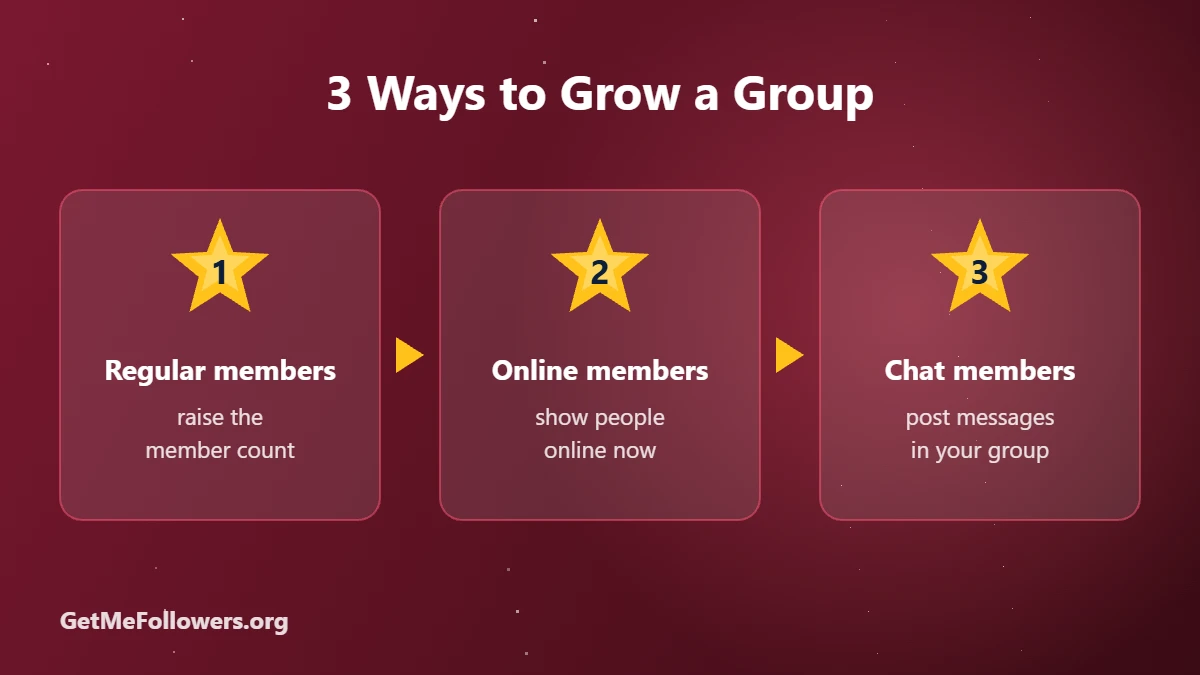
Regular membersAccounts that join and raise your member count~$0.50 / 1,000 (lifetime refill)
Online membersMembers shown as online, with a 30-day refill~$2.95 / 1,000
Chat membersMembers who post random messages in a chosen language~$1.38 / 1,000
Premium membersAccounts with Telegram Premium~$1.14 / 1,000

Prices as of October 2026 and may change. See the current rate on the services page.

3 Ways to Grow a Group

How to Buy Telegram Group Members

  1. Make sure the group is public, or create an invite link in group settings.
  2. Pick a service: regular members, online members or chat members (English).
  3. Paste the group link and enter the amount.
  4. Pay with crypto. Delivery starts within hours.
👥 Buy Group Members

Regular, online or chat members · pay with crypto

Prepare Your Group First

  • Check permissions: if you order chat members, make sure members are allowed to send messages.
  • Anti-spam bots: pause join captchas or strict anti-spam bots during delivery, or new members may be removed.
  • Pin rules and a welcome message so real newcomers know what the group is about.
  • Seed real conversation: ask questions and reply quickly. See 8 ways to increase Telegram interaction.

Stay safe

  • We only ever need a public link or @username. Never share your Telegram login code or password with anyone.
  • For private channels and groups, use an invite link that you can revoke later.
  • Start with a small order to test before scaling up.

Frequently Asked Questions

Can I buy members for a private group?

Yes. Create an invite link in your group settings and use it in the order. Revoke it after delivery if you like.

What are online members?

They're members that appear online in your group, which makes it look active when people visit.

Will chat members talk about my topic?

Chat members post general messages in the language you choose. They make a group look lively, but on-topic discussion comes from your real community.

My members disappeared. Why?

Anti-spam bots or join approval settings can remove new members. Pause them during delivery. Packages with refill replace drops within the refill period.

Do group members work for channels too?

Many regular member packages work for both channels and groups. Online and chat members are meant for groups.

Bring your group to life

Members, online users and chatters for Telegram groups.

Buy Group Members
بیشتر بخوانید: How to Buy Telegram Group Members (Including Active Chat Members)
How to Buy Telegram Premium Members (and Why They Cost More)

How to Buy Telegram Premium Members (and Why They Cost More)

Not all Telegram subscribers look the same. Accounts with Telegram Premium pay for Telegram's subscription, show a star badge and tend to look more like real, active users. That's why "premium members" have become a popular way to give a channel or group a more credible audience.

Quick answer

Choose Premium Members – 30 days premium for a balance of price and duration, or 7 days premium for the lowest price. Paste your channel or group link, pick an amount and pay with crypto.

What Are Telegram Premium Members?

Premium members are subscribers whose accounts have Telegram Premium active. Package names like 7 days or 30 days refer to how long those accounts keep their Premium status after joining. When it ends they stay as normal subscribers.

Premium vs Regular Members

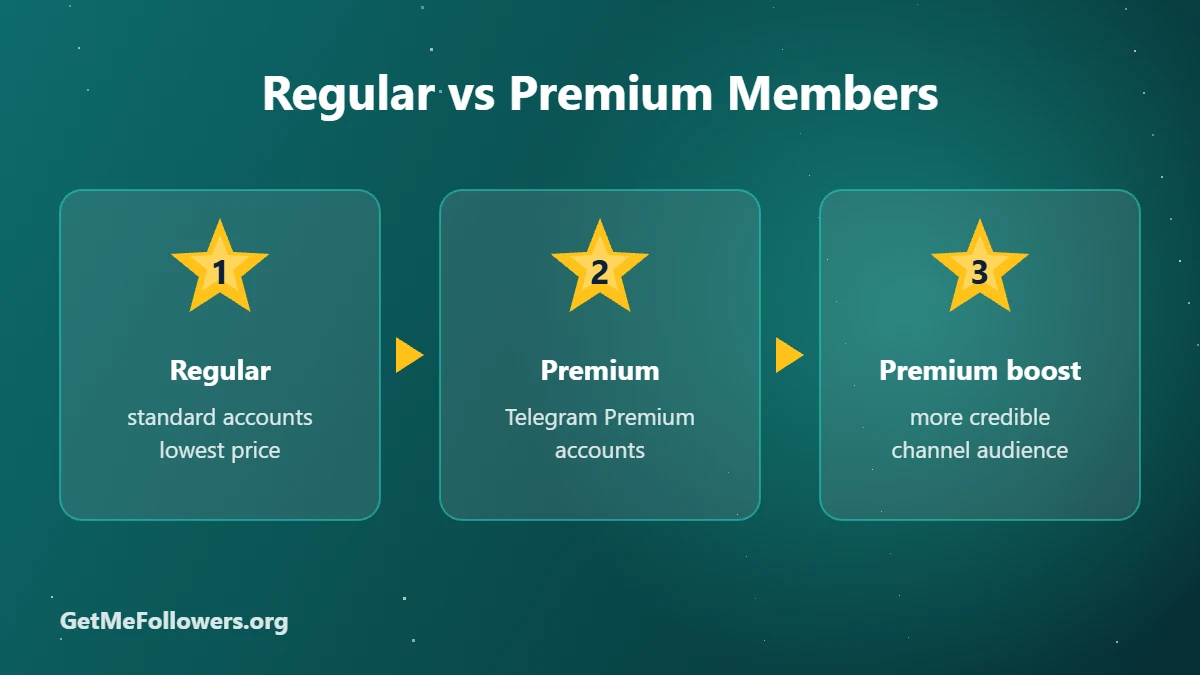
Regular membersPremium members
Account typeStandard Telegram accountsAccounts with Telegram Premium
AppearanceNormal profilePremium star badge
Price~$0.15–0.50 / 1,000~$1.14–4.63 / 1,000
Best forBuilding numbers quicklyA more credible-looking audience

Prices as of October 2026 and may change. See the current rate on the services page.

Regular vs Premium Members

Which Premium Package Should You Choose?

  • 7 days premium: the cheapest way to try premium members, from about $1.14 per 1,000.
  • 30 days premium: the most popular balance, from about $4.63 per 1,000, with a 30-day refill.
  • Longer or targeted options: 1 to 3 months, country-targeted or larger bases are also available on the services page.

How to Buy Telegram Premium Members

  1. Copy your channel or group link (or an invite link for private ones).
  2. Open Premium Members – 30 days or Premium Members – 7 days.
  3. Paste the link, enter the amount and place the order.
  4. Pay with crypto. Delivery starts and continues gradually.
⭐ Buy Premium Members

Telegram Premium accounts · refill included · pay with crypto

Get the Most From Premium Members

Combine premium members with a regular base from our channel subscribers guide, and keep posts active with views. If you want a Premium subscription for your own account instead, see how to buy Telegram Premium.

Stay safe

  • We only ever need a public link or @username. Never share your Telegram login code or password with anyone.
  • For private channels and groups, use an invite link that you can revoke later.
  • Start with a small order to test before scaling up.

Frequently Asked Questions

What does '30 days premium' mean?

It's how long the joining accounts keep their Telegram Premium status. After that period they remain in your channel as regular subscribers.

Are premium members real people?

They're accounts with an active Premium subscription. Like any purchased members, they add to your count and credibility, while engagement still comes from your content.

Why are premium members more expensive?

Each account pays for Telegram Premium, which costs much more to maintain than a standard account.

Can I add premium members to a group?

Yes. Most premium member packages work for both channels and groups.

Is there a refill?

Many premium packages include a refill for the stated period. Check the service description before ordering.

Upgrade your audience

Premium members for channels and groups.

Buy Premium Members
بیشتر بخوانید: How to Buy Telegram Premium Members (and Why They Cost More)
How to Buy Telegram Post Views: Last, Future & Premium Views

How to Buy Telegram Post Views: Last, Future & Premium Views

The little eye icon under every Telegram post is the first number people check. A post with 40 views on a channel of 10,000 subscribers looks off, and advertisers notice. Buying Telegram post views keeps your view count in line with your audience size and makes every post look active.

Quick answer

For a single post, use Telegram Post Views – Last post and paste the post link. To cover new posts automatically, use Future Views with your channel link. Both start from 100 views.

Why View Counts Matter on Telegram

  • Advertisers check views, not subscribers. Views per post is how ad buyers judge a channel.
  • Social proof: new readers trust posts that others have already seen.
  • Consistency: balanced views across posts make the channel look healthy.

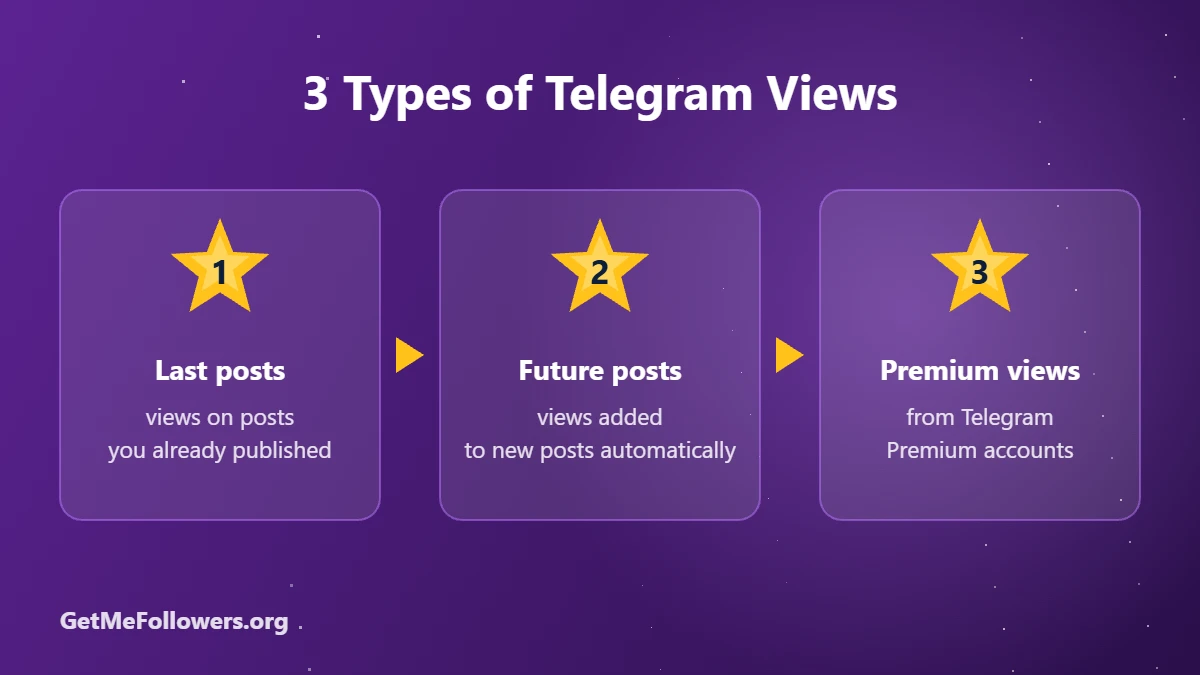
3 Types of Telegram Views

Last Posts vs Future Posts vs Premium Views

TypeHow it worksWhat you enterStarting price
Last post(s)Views added to posts already publishedPost link~$0.013 / 1,000
Future postsViews added automatically to your next postsChannel link~$0.024 / 1,000
Premium viewsViews from Telegram Premium accountsPost link~$0.12 / 1,000

Prices as of October 2026 and may change. See the current rate on the services page.

When to choose last-post views

Use these when you want to lift a specific announcement, a pinned post or a post you're about to share with an advertiser. There are also packages that cover your last 5, 10, 20 or 30 posts at once.

When to choose future views

If you post every day, future views save time: you order once and each new post receives views as it goes live, for the number of posts in the package.

When to choose premium views

Premium views come from accounts with Telegram Premium. Choose them when you want the most credible-looking audience behind your numbers.

How to Buy Telegram Post Views

  1. Open the post in Telegram, tap Copy link (for example https://t.me/yourchannel/125).
  2. Choose last post views, future views or premium views.
  3. Paste the post link (or channel link for future views) and enter the amount.
  4. Pay with crypto. Delivery usually starts within minutes.
👁 Buy Telegram Views

From 100 views · starts fast · pay with crypto

Make Your Views Look Natural

  • Match views to your channel size. Around 10 to 30% of subscribers per post looks believable.
  • Pair views with reactions so posts don't have views but zero engagement.
  • Spread orders across posts instead of putting everything on one.
  • Grow your base with channel subscribers so the numbers stay balanced.

Stay safe

  • We only ever need a public link or @username. Never share your Telegram login code or password with anyone.
  • For private channels and groups, use an invite link that you can revoke later.
  • Start with a small order to test before scaling up.

Frequently Asked Questions

Do bought views work on private channels?

Most view services need a public post link. Check the service description before ordering for a private channel.

How fast are views delivered?

Most view orders start within minutes. Large orders may be spread out to look natural.

What's the difference between last and future views?

Last-post views go to posts you've already published. Future views are added automatically to the next posts you publish, up to the number in the package.

Can views drop?

Telegram views rarely drop once counted, unlike subscribers.

What's the minimum order?

Most view packages start at 10 or 100 views, depending on the service.

Make every post look active

Telegram views for single posts or every future post.

Buy Views
بیشتر بخوانید: How to Buy Telegram Post Views: Last, Future & Premium Views