Want to thank a creator, surprise a friend or top up a teammate's balance? You can send Telegram Stars as a gift in a couple of minutes. There are two easy ways: inside the Telegram app, or through GetMeFollowers, which delivers Stars to any @username for less. Here's how each one works.
Quick answer
In Telegram, open Settings → My Stars, choose the gift option, pick a contact and pay. To send a larger amount for less, order Stars on GetMeFollowers and put your friend's @username in the link field.
Method 1: Gift Stars Inside the Telegram App
This is the built-in option and works on iPhone, Android and desktop.
- Open Telegram and go to Settings.
- Tap My Stars.
- Choose the option to gift Stars.
- Select the friend from your contacts.
- Pick a pack and confirm the payment through your app store.
Your friend receives a message in the chat showing the gift and how many Stars you sent. It's quick, but you pay app store prices, about $0.02 per Star.
Method 2: Send Stars to Any @username With GetMeFollowers
This route suits bigger gifts, people who aren't in your contacts, or anyone who prefers paying with crypto instead of an app store.
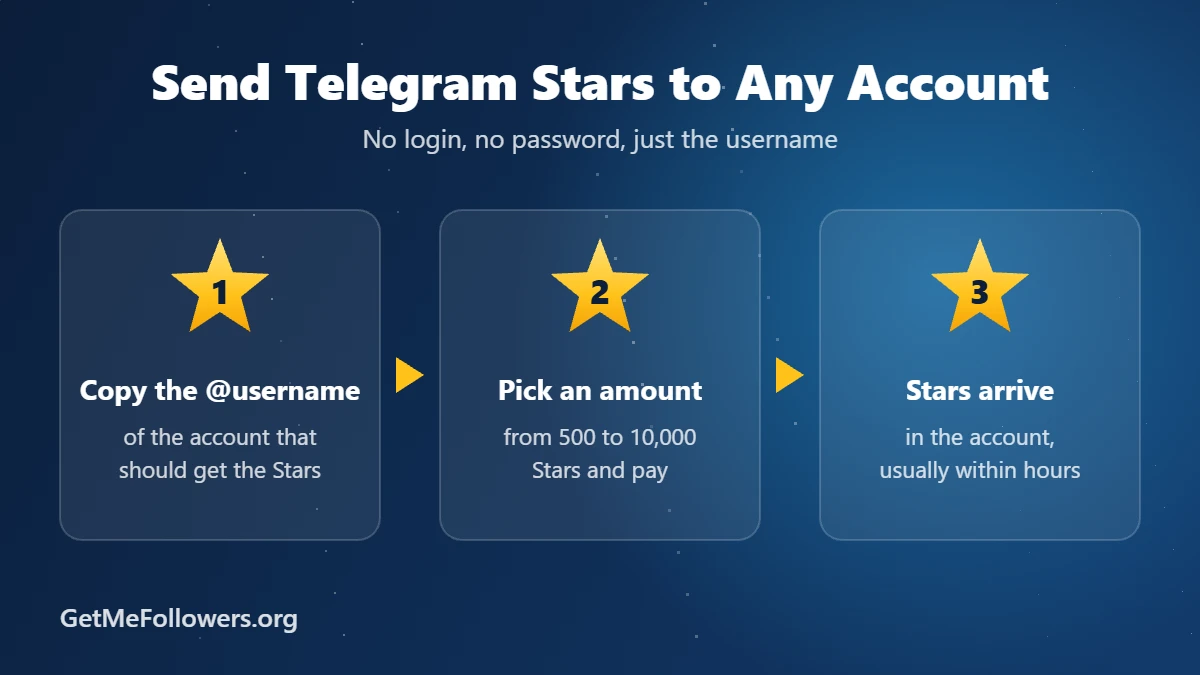
- Ask your friend for their Telegram @username, or copy it from their profile.
- Open the Telegram Stars – Gift to account service.
- Paste the username into the link field, for example @username.
- Enter the amount, anywhere from 500 to 10,000 Stars, and place the order.
- Pay with crypto. The Stars arrive in their account, usually within a few hours (allow up to 12).
| In the app | GetMeFollowers | |
|---|---|---|
| Price per 1,000 Stars | ~$20 | $16.15 |
| Recipient | Your contacts | Any @username |
| Payment | App Store / Google Play | Crypto |
| Order size | Fixed packs | 500 to 10,000 Stars |
No login needed, just the @username
Gifting Stars to a Channel Post
Want to support a channel instead of a person? Send Stars as a paid reaction on one of its posts, and the channel owner receives them. For larger amounts, channel owners can order Telegram Stars for posts by pasting the post link. Paid reactions must be turned on in the channel first.
Gift Ideas: Who Should You Send Stars To?
- A friend who uses AI bots, so they can keep chatting without topping up.
- A creator you follow, as a thank-you for their content.
- A teammate or client who runs bots or mini apps that charge in Stars.
- A gamer playing Telegram mini app games.
Safety Tips Before You Send
- Check the username twice. Stars sent to the wrong account can't be taken back.
- Never share login codes. Neither you nor your friend should give anyone a Telegram code or password. Only the public username is needed.
- Watch out for "Star doubling" scams. Nobody can multiply your Stars. Messages promising that are fake.
New to Stars? Start with What Are Telegram Stars, or compare every buying option in How to Buy Telegram Stars.
Frequently Asked Questions
Can I gift Telegram Stars to someone who isn't in my contacts?
In the app you usually pick from your contacts. On GetMeFollowers you only need the person's @username, so they don't have to be in your contacts.
Will my friend know who sent the Stars?
When you gift in the app, your friend sees a gift message in your chat. With a GetMeFollowers order the Stars simply arrive in their balance, so tell them they're from you.
What's the minimum I can gift?
In the app, the smallest pack. On GetMeFollowers, the minimum order is 500 Stars and the maximum is 10,000.
How long does it take for gifted Stars to arrive?
App gifts arrive instantly. GetMeFollowers orders usually arrive within a few hours, and in some cases can take up to 12 hours.
Does my friend need Telegram Premium to receive Stars?
No. Any Telegram account can receive and spend Stars.