Telegram Search Ads are one of the newest and most targeted ways to reach potential users within the Telegram ecosystem. Through Telegram Ads, you can promote a profile, channel, group, or bot directly in Telegram search results and attract people who are actively looking for related topics or services.
However, many advertisers face a common challenge: their ads remain pending for a long time or get rejected during the review process.
In this guide, we'll explain how to create Telegram Search Ads and share practical insights based on our real-world experience to help improve your chances of approval.
What Are Telegram Search Ads?
Telegram Search Ads allow advertisers to display their profile, channel, group, or bot when users search for specific keywords within Telegram.
Unlike traditional channel promotions, Search Ads help you reach users who are already interested in a particular topic, making them highly targeted and potentially more effective
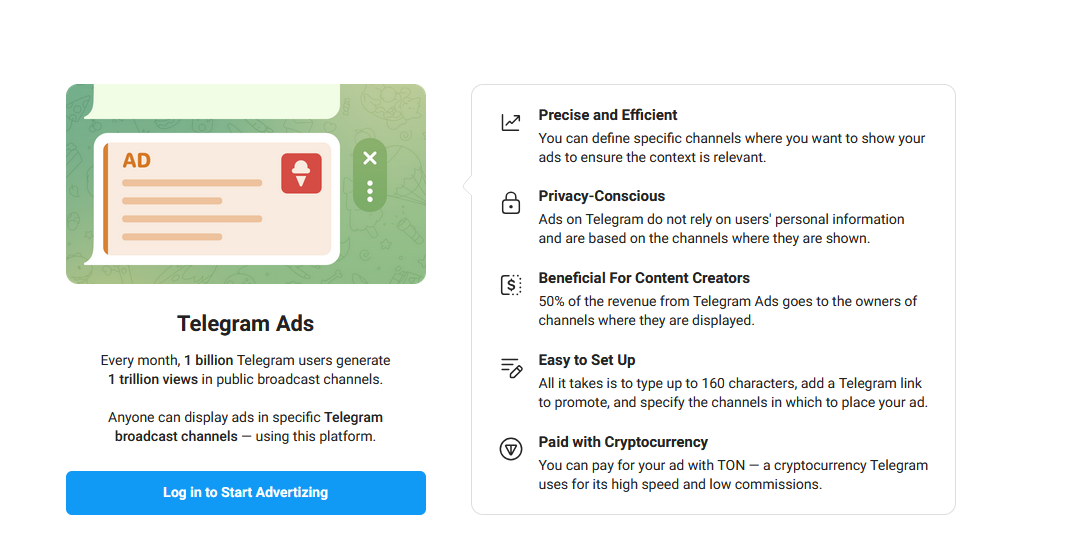
Step 1: Access the Telegram Ads Platform
First, visit the official Telegram Ads platform:
ads.telegram.org
Log in using your Telegram account.
If this is your first time using the platform, you'll be asked to complete your advertiser profile before creating campaigns.
Step 2: Complete Your Advertiser Profile
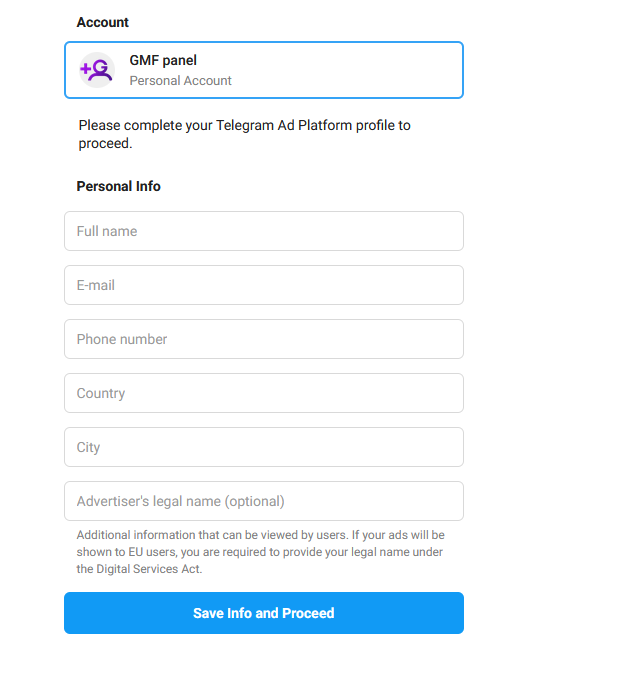
Telegram may request basic information such as:
- Full name
- Email address
- Phone number
- Country
- City
*We recommend providing accurate information whenever possible, especially if your account may require additional verification in the future.
Step 3: Fund Your Advertising Account
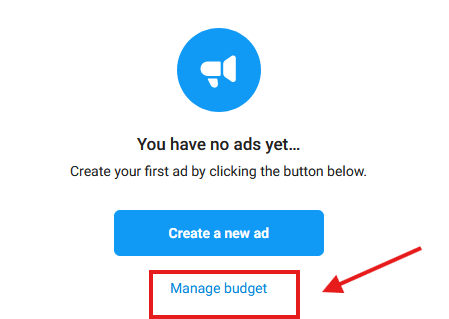
Before creating a campaign, you'll need to add funds to your Telegram Ads account.
Once your balance is funded with TON, you'll be able to launch new advertising campaigns.
Prepare Your Account Before Running Ads
One of the biggest mistakes advertisers make is focusing only on the advertisement itself while ignoring the profile being promoted.
Based on our experience, the quality and completeness of the destination profile can influence the approval process.
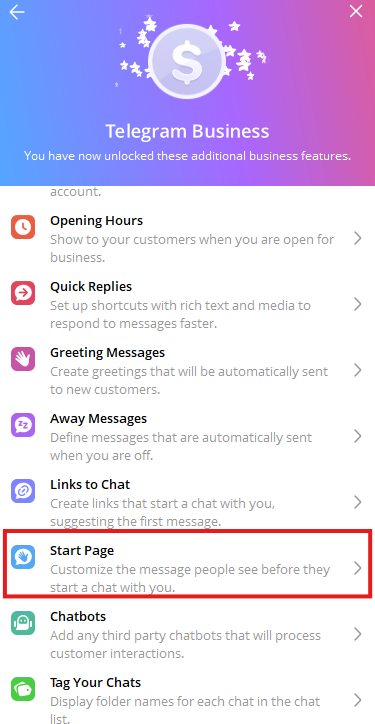
1. Consider Using Telegram Premium
Accounts with Telegram Premium often appear more professional and have access to additional profile and business features.
Some Telegram Business tools and advanced account customization options are only available to Premium users.
For this reason, many businesses upgrade their accounts before launching advertising campaigns.
If you need Telegram Premium, you can obtain it through GetMeFollowers
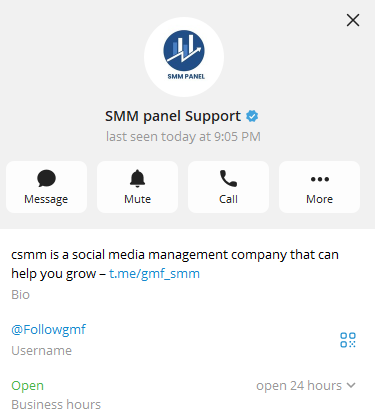
2. Choose a Professional Profile Picture
Your profile image should:
- Match your niche or business
- Be high quality
- Avoid copyright issues
- Avoid overly aggressive promotional designs
Extremely flashy images with excessive visual effects may appear less trustworthy.
3. Choose an Appropriate Account Name
Your account name should clearly relate to your business, service, or niche.
Misleading or spam-like names can reduce trust and credibility.
4. Complete Your Bio
Your Telegram bio is one of the most important profile elements.
A good bio should:
- Explain what you offer
- Include relevant keywords
- Be written in the language of your target audience
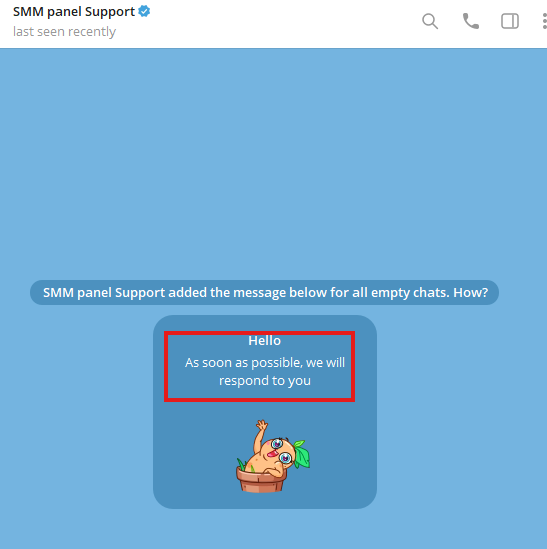
5. Use Telegram Business Intro
If you're using Telegram Business features, create a professional introduction message.
This helps present your account as more complete and trustworthy.
6. Review Your Privacy Settings
Before launching ads, make sure your account appears complete and professional.
Based on our experience, accounts that completely hide their activity and profile information may appear less trustworthy.
Creating a Telegram Search Ad
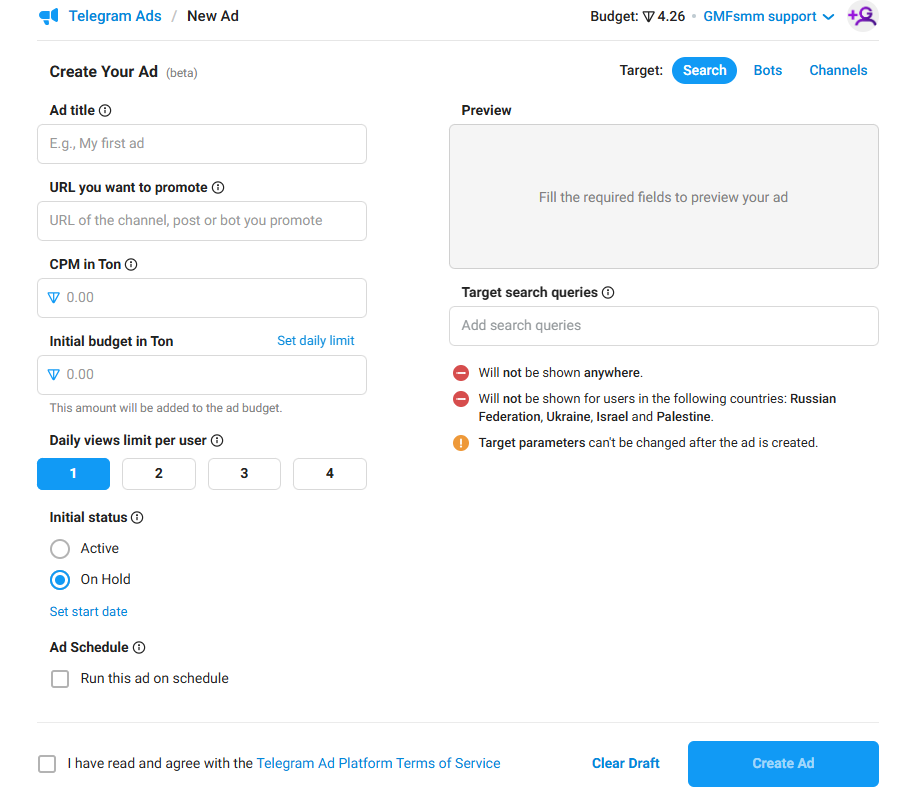
After preparing your account, create a new campaign.
You'll need to configure:
- Campaign name
- Destination profile URL
- Budget
- Target keywords
- Daily limits
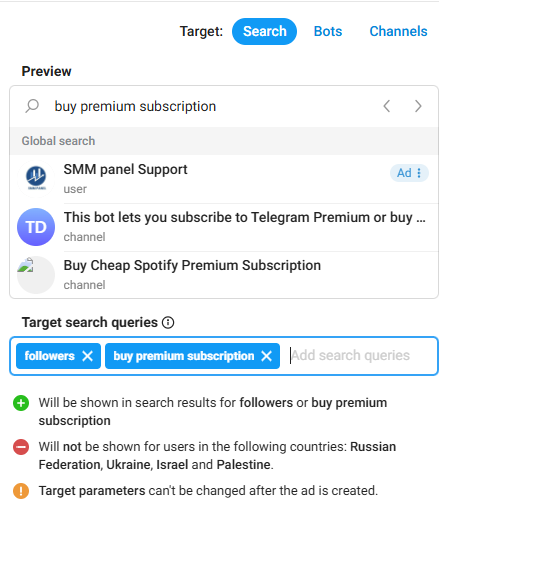
Choosing the Right Keywords
Keyword selection is one of the most important parts of Search Ads.
Your keywords should:
- Be relevant to your service
- Have search demand
- Match your destination profile
Keep in mind that certain keywords may not be approved by Telegram's advertising system.
Which Types of Ads Face More Scrutiny?
Certain industries often receive additional review attention, including:
- Financial services
- Investment products
- Cryptocurrency
- Online income opportunities
- Health-related products
- Gambling services
- Adult content
If you operate in one of these categories, transparency becomes even more important.
What Does Telegram Review During Ad Approval?
Many advertisers assume Telegram only reviews the ad text.
In reality, the review process may also involve:
- The destination profile or channel
- Profile quality
- Account information
- Selected keywords
- The product or service being promoted
- Compliance with Telegram Ads policies
This is one reason why two similar advertisements may receive different approval outcomes.
What Claims Should You Avoid?
One of the most common reasons ads get rejected is the use of misleading or unrealistic claims.
Avoid statements such as:
- Guaranteed income
- Guaranteed profits
- Instant growth
- 100% success rates
- Best service in the world
Instead, focus on clearly explaining the value of your product or service.
Why Ad and Profile Consistency Matters
If your advertisement promotes one thing but your profile shows something completely different, approval becomes less likely.
Make sure:
- Your ad matches your profile
- Contact information is available
- Services are clearly explained
- Your profile appears complete
Consistency helps build trust with both users and reviewers.
Why Is My Telegram Ad Still Pending?
This is one of the most common questions among advertisers.
Based on our experience, ads may remain pending longer because of:
- Sensitive keywords
- Cryptocurrency-related topics
- Financial services
- Incomplete profiles
- High review volume within Telegram Ads
In most situations, it's best to wait up to 48 hours before taking further action.
What Should You Do If Your Telegram Ad Gets Rejected?
If your ad is rejected:
- Avoid repeatedly resubmitting the same campaign
- Review your profile and campaign setup
- Check for potentially problematic keywords
- Create a new campaign if necessary
In some cases, creating a fresh campaign can be more effective than resubmitting a rejected one.
Common Mistakes That Lead to Ad Rejection
Some of the most common mistakes include:
- Incomplete profiles
- Empty bios
- Poor profile images
- Irrelevant account names
- Sensitive keywords
- Misleading claims
- Lack of service information
A Valuable Tip From Our Experience
Many advertisers believe only the ad copy is reviewed.
In practice, profile quality, profile photos, usernames, bios, account information, and service descriptions can all influence the review process.
That's why we always recommend optimizing your account before launching a campaign.
Frequently Asked Questions – FAQ
Why Was My Telegram Ad Rejected?
Common reasons include incomplete profiles, sensitive keywords, misleading claims, or inconsistencies between the ad and the destination profile.
How Long Does Telegram Ad Approval Take?
Most campaigns are reviewed within a few hours to 48 hours, although certain industries may require additional review time.
Does Telegram Review More Than Just the Ad Text?
Yes. Telegram may also evaluate the destination profile, bio, username, profile image, keywords, and the promoted service itself.
Should I Resubmit a Rejected Telegram Ad?
Based on our experience, it's often better to identify the potential issue first. In some situations, creating a new campaign performs better than resubmitting the same one.
We have also found that advertisers sometimes leave short notes in the campaign name field requesting a review or asking for clarification regarding a rejection. While there is no guarantee this will help, it has occasionally produced better results than resubmitting without any explanation.
Are Cryptocurrency Ads Allowed on Telegram?
Yes, but cryptocurrency-related advertisements often receive more detailed reviews than other categories.
Does Telegram Premium Help With Ad Approval?
Telegram has never officially stated that Premium accounts receive preferential treatment. However, more complete and professional-looking accounts generally create a better impression.
Does Telegram Review the Promoted Profile?
Yes. Based on advertiser experiences, Telegram may review the profile, bio, username, profile image, and other account details alongside the advertisement itself.
Where Can I Get Telegram Premium?
You can purchase Telegram Premium through GetMeFollowers for quick and easy activation.
Key Takeaways
- Complete your profile before advertising.
- Use a professional profile picture.
- Write a relevant bio.
- Avoid unrealistic claims.
- Choose relevant keywords.
- Keep your ad and profile consistent.
- Follow Telegram Ads policies.
- Investigate rejection reasons before resubmitting.
Final Thoughts
Telegram Search Ads can be an excellent way to attract highly targeted users, but success depends on more than simply creating an advertisement.
The quality of your profile, the transparency of your offer, and compliance with Telegram's advertising standards can all influence approval outcomes.
By preparing your account properly and presenting your services clearly, you can significantly improve your chances of getting approved and running successful Telegram advertising campaigns.